The Gap Between Data and Decisions
Modern treasury dashboards are good at showing numbers. Portfolio value, staking rewards, burn rate, runway — the data is there, updated in real time. But there is a gap between seeing numbers and understanding what they mean. A dashboard can tell you that your monthly expenses are $47,000. It does not tell you whether that number is trending up, how many months of runway you have left, or what would happen to your self-sufficiency score if you staked another 10% of your holdings.
Bridging that gap has traditionally meant one of two things: manual analysis (pulling data into spreadsheets, building formulas, interpreting the results yourself) or paying a treasury consultant several hundred dollars an hour to do it for you. Neither is ideal. Manual work is slow and error-prone. Consultants are expensive and asynchronous — you ask a question today and get an answer next week.
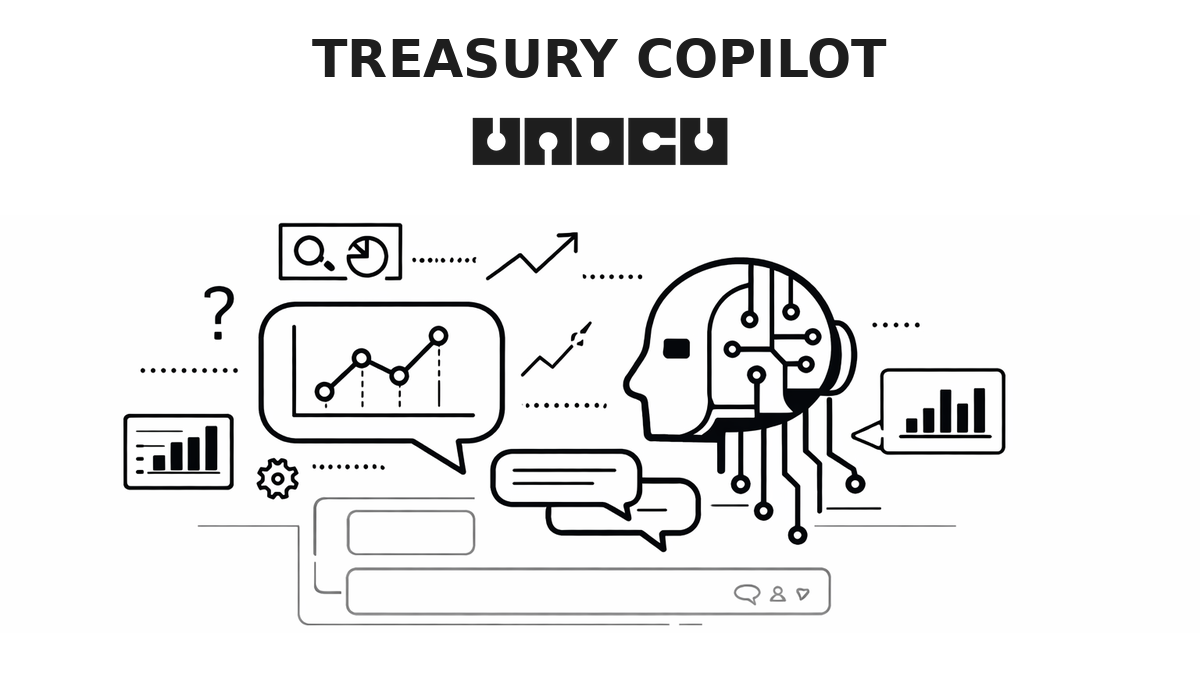
Treasury Copilot is UNOCU's answer to this problem. It is an AI-powered conversational assistant built directly into the unocu.com dashboard. You ask questions in plain English. It reads your live financial data — portfolio positions, staking rewards, trading activity, expenses, revenue, runway — and gives you structured, grounded answers in seconds. No spreadsheets. No waiting for consultants. Just a direct line between your question and your data.
How It Works
Treasury Copilot lives as a floating chat button in the bottom-right corner of the UNOCU dashboard. You can also trigger it with Ctrl+K (or Cmd+K on Mac). Clicking it opens a slide-out chat panel from the right side of the screen, giving you a conversational interface without leaving whatever page you are working on.
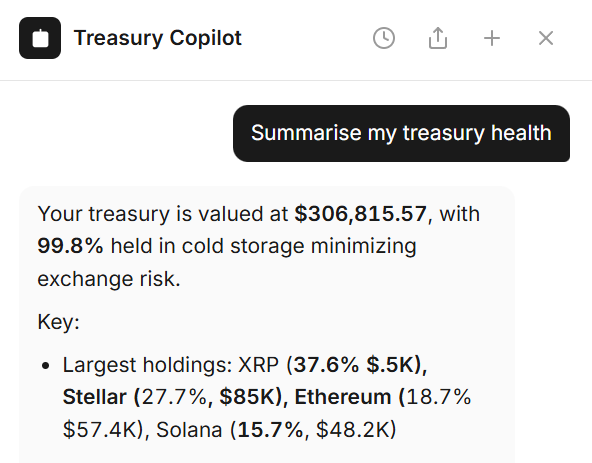
Under the hood, the Copilot is powered by GPT-4.1 mini for most queries — fast and cost-effective — with the ability to escalate to more powerful models when a question requires deeper analysis. Responses stream in real time, token by token, with full markdown formatting: bold text, lists, tables, and code blocks where relevant.
The critical difference between Treasury Copilot and a generic AI chatbot is data access. The Copilot reads live data from your actual dashboard:
•Portfolio balances, positions, and unrealised P&L
•Staking assets, APY rates, validators, and reward history
•Treasury figures: revenue, expenses, cash, runway, yield coverage ratio, and self-sufficiency score
•Trade history, win rates, and performance metrics
•Target allocations versus actual allocations
It does not give theoretical answers or generic advice. Every response is grounded in your real numbers.
What You Can Ask
Treasury Copilot handles a wide range of questions across different areas of treasury management. Here are examples by category.
Portfolio Analysis
•"Which of my assets has the highest unrealised gain?"
•"Compare my portfolio allocation to industry benchmarks."
•"What percentage of my portfolio is in stablecoins?"
The Copilot pulls your current positions and returns specific numbers — not general guidance about portfolio construction, but answers rooted in what you actually hold.
Staking Strategy
•"How much more do I need to stake to cover expenses?"
•"Which validator is giving me the best yield right now?"
•"What is my total staking income this quarter?"
These questions would normally require pulling data from multiple dashboard sections and running calculations. The Copilot handles the aggregation and math in real time.
Treasury Health
•"What is my current runway based on expenses?"
•"What is my burn rate trend over the last 3 months?"
•"How has my yield coverage ratio changed since last month?"
Runway and burn rate are the questions that keep treasury managers up at night. The Copilot can surface trends and project forward without requiring a separate financial model.
Trading Performance
•"What is my win rate on trades this year?"
•"Show me my best and worst performing trades."
•"How does my trading performance compare to just holding?"
The Copilot accesses your full trade history and can compute metrics that would otherwise require exporting data and building pivot tables.
Context Awareness
Treasury Copilot is not just a static Q&A interface. It is context-aware — it knows which page you are on and tailors its behaviour accordingly.
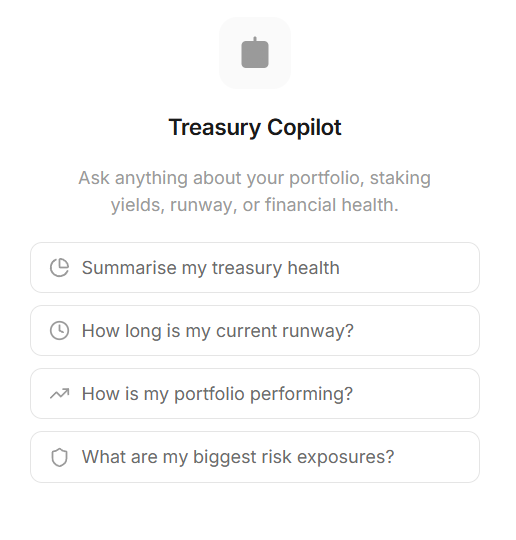
When you open the Copilot, it shows four suggested prompts that change based on your current location in the dashboard. On the Umbrella (overview) page, you might see prompts about overall portfolio health and runway. On the Compound (staking) page, the suggestions shift to yield optimisation and staking coverage. On the Obtain (research) page, it automatically surfaces relevant position data for the asset you are researching.
This means you do not need to provide context in every question. If you are on the staking page and ask "How can I improve this?", the Copilot understands that "this" refers to your staking strategy and responds with specific suggestions based on your current staking positions, yields, and coverage ratios.
The five main dashboard sections — Umbrella, Obtain, Compound, Nurture, and Utilize — each have their own set of contextual prompts, so the Copilot always starts with relevant starting points for wherever you are working.
Proactive Insights
You do not always have to ask. Treasury Copilot also flags issues and opportunities on its own through proactive insight cards.
These alerts appear as insight cards with a badge counter on the Copilot button. When something critical surfaces, the badge pulses to draw attention. The types of proactive insights include:
•Concentration risk — If a single asset reaches an outsized share of your portfolio (for example, "Your XRP allocation is 37% — that is concentrated"), the Copilot flags it.
•Low yield warnings — When staking yields drop below expected thresholds, you are notified before it impacts your coverage.
•Runway changes — If your expenses increase or revenue drops enough to materially change your runway projection, the Copilot surfaces it.
•P&L alerts — Significant unrealised losses or gains that may warrant attention.
The value of proactive alerts is that they function as an early warning system. Instead of discovering a concentration problem during a quarterly review, you see it as it develops. This turns the Copilot from a reactive Q&A tool into an active monitoring layer over your treasury.
Follow-ups, Actions, and History
Good analysis is rarely one question. It is a thread of related questions, each building on the last. Treasury Copilot is designed for this pattern.
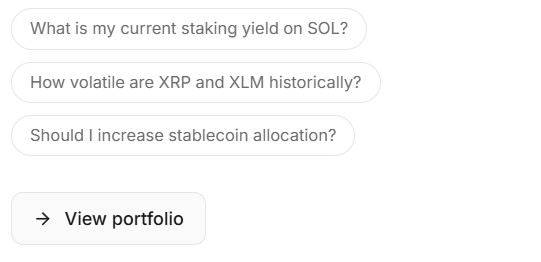
After each response, the Copilot generates three tailored follow-up questions displayed as pill buttons below the answer. These are not generic suggestions — they are derived from the specific data in the response. If you ask about your runway and the Copilot identifies a rising burn rate, the follow-up pills might include "What is driving the expense increase?" and "What would runway look like if expenses held flat?" One tap continues the thread.
The Copilot can also suggest navigation actions. If you are discussing yield optimisation and the Copilot identifies relevant data on the Compound page, it displays a clickable action button — "Go to Compound" — that takes you directly there. This bridges the gap between conversation and action.
All conversations are stored and accessible through a history panel. You can resume any previous chat, which is useful when you want to revisit an analysis from last week or continue a thread you started earlier. You can also rate individual responses with thumbs up or thumbs down, which feeds into quality improvement. And if you need to share a conversation with a colleague, you can copy the full thread to your clipboard or download it as a text file.
How to Get the Most Out of Treasury Copilot
An AI copilot is a tool. Like any tool, its value depends on how you use it. Here are practical strategies for getting the most out of it.
Start with the questions you would ask a consultant.
If you were paying someone $500 an hour, what would you ask them? "Is my portfolio too concentrated?" "Am I generating enough yield to cover expenses?" "What does my runway look like under current conditions?" These are exactly the questions the Copilot handles well. Start there.
Use it to validate assumptions. You might have an intuition that your burn rate is climbing. Ask the Copilot to confirm or deny it with actual data. Gut feeling is useful, but grounded numbers are better.
Ask for comparisons and benchmarks. Questions like "Compare my allocation to industry benchmarks" or "How does my yield compare to last quarter" force the Copilot to contextualise your numbers, which is where insight lives.
Treat proactive alerts as early warning signals. Do not dismiss the badge counter. Concentration risk that seems harmless at 30% becomes a problem at 45%. A yield drop of 0.5% compounds over months. The Copilot surfaces these trends early so you can act before they become urgent.
Use follow-up pills to go deeper. The first question often scratches the surface. The follow-up suggestions are designed to push the analysis further — into causes, projections, and alternatives. Let the thread develop.
Getting Started
Treasury Copilot is built into the UNOCU dashboard for all users. There is nothing to install, enable, or configure.
To open it, click the floating chat button in the bottom-right corner of any dashboard page, or press Ctrl+K (Cmd+K on Mac). The chat panel slides out from the right. Start with one of the suggested prompts or type your own question.
The Copilot works best when your dashboard data is current. As long as your wallets and accounts are connected and syncing, the Copilot has access to everything it needs to answer your questions accurately.
Visit unocu.com to access your dashboard and start a conversation with your data.
Disclaimer: This content is for informational purposes only and does not constitute financial advice. AI-generated insights are based on available data and should be verified independently. Always conduct your own research before making investment decisions.