We have added Coinbase Prime to the list of supported exchange connections in UNOCU. If your organization uses Coinbase Prime for institutional crypto custody and trading, you can now pull your portfolio data directly into the UNOCU dashboard — no manual entry, no spreadsheets, no CSV imports.
This integration joins our existing support for Coinbase, Kraken, Gemini, Binance and others. Combined with on-chain wallet tracking across Solana, Ethereum, Bitcoin, and other networks, UNOCU gives you a single view of your digital asset holdings.
What This Means for Your Dashboard
Once you connect your Coinbase Prime account, UNOCU reads your portfolio balances via the Coinbase Prime API. We use read-only access — UNOCU cannot execute trades, move funds, or modify anything on your Coinbase Prime account.
Your Coinbase Prime data feeds into several modules across the platform:
• Umbrella — Portfolio value, asset allocation, and P&L reporting across all connected accounts.
• Nurture — Treasury health monitoring, giving you visibility into how your holdings are distributed.
• Compound — Staking tracking, so you can see yield-generating positions alongside your Coinbase Prime balances.
• Utilize — Trading data, pulling in activity from Coinbase Prime where relevant.
The result is a consolidated, real-time view of your digital asset portfolio — whether your holdings sit on Coinbase Prime, another exchange, or in self-custodied wallets.
How to Connect Coinbase Prime
Connecting takes about five minutes. You will need API credentials from your Coinbase Prime account. Here is what to do.
Step 1: Create API Credentials in Coinbase Prime
1. Log in to your Coinbase Prime account at prime.coinbase.com.
2. Navigate to Settings > API and create a new API key.
3. Make sure the API key has read permissions for portfolio balances.
4. Copy the Access Key, Passphrase, Signing Key, and Service Account ID provided.
5. Find your Portfolio ID in the URL when viewing your portfolio (e.g., prime.coinbase.com/portfolio/{portfolio-id}).
You will need all five credentials to complete the connection:
1. Access Key
2. Passphrase
3. Signing Key
4. Service Account ID
5. Portfolio ID
Note: The Service Account ID and Portfolio ID are different values. The Service Account ID identifies the API key itself, while the Portfolio ID identifies which portfolio to read balances from.
Step 2: Connect in UNOCU
6. In UNOCU, go to Connectors from the sidebar menu.
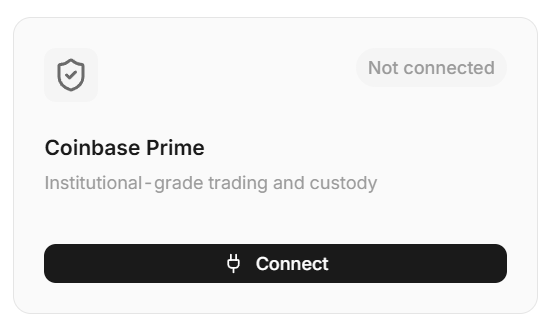
7. Find the Coinbase Prime card and click Connect.
8. Enter all five credentials.
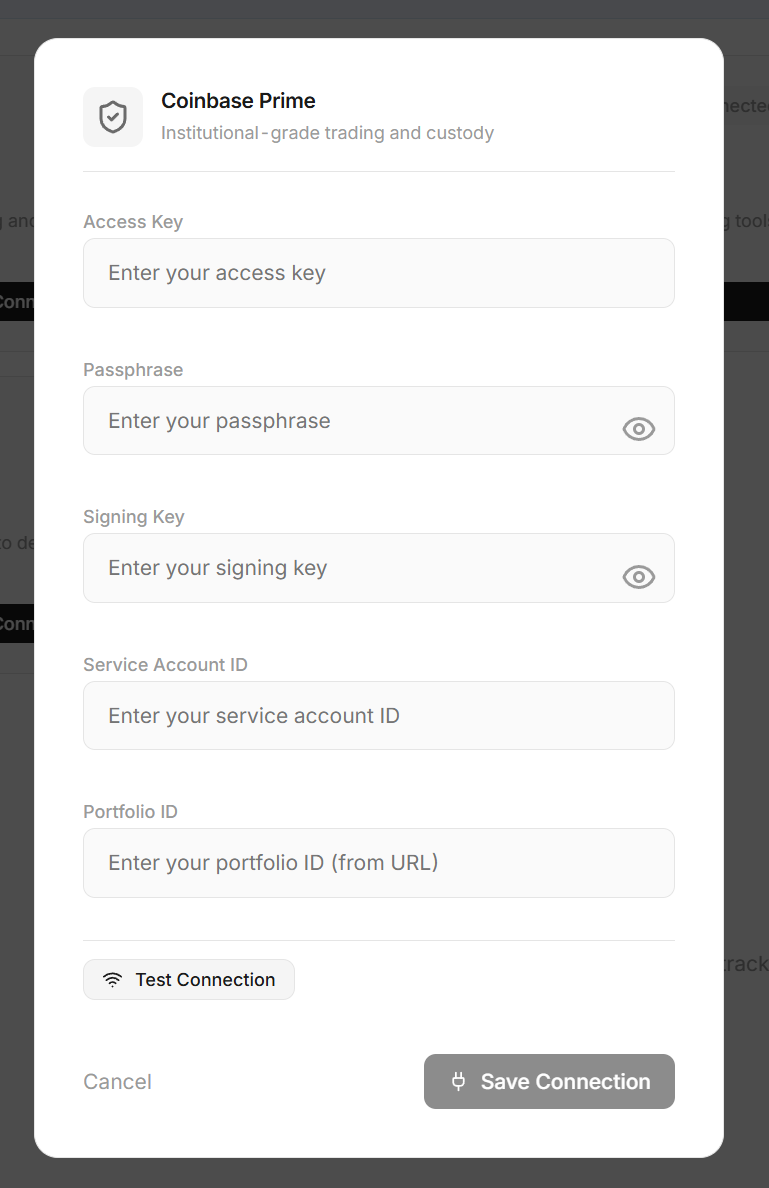
9. Click Test Connection — UNOCU will verify the credentials against the Coinbase Prime API and show a summary of accounts found.
10. Once tested successfully, click Save Connection.
That is it. Your Coinbase Prime portfolio data will begin syncing to UNOCU immediately.
Security and Permissions
We built this integration with a strict read-only approach. UNOCU requests only the permissions needed to read portfolio balances from Coinbase Prime. We cannot — and do not — execute trades, initiate withdrawals, or modify any settings on your account.
Your API credentials are encrypted and stored securely. UNOCU does not hold custody of any assets. We are a data aggregation layer, not a custodian.
Plans and Pricing
Starter plan users can connect one exchange. If you need to connect Coinbase Prime alongside other exchanges, the Growth plan ($49/month) supports unlimited exchange connections. Visit unocu.com for full pricing details.
What's Next
More exchange integrations are in development. We are also working on more connections to accounting platforms and other essential startup tools , including QuickBooks and Xero, so you can close the loop between your digital asset data and your financial reporting tools.
If there is a specific exchange or service you would like us to support, reach out. We prioritize integrations based on what our users need.
Get Started
Visit unocu.com to create your account or log in and connect your Coinbase Prime account today.
Disclaimer: This content is for informational purposes only and does not constitute financial advice. Always conduct your own research before making investment decisions.